Lead-to-Cash: Snov.io Outreach to QuickBooks Online Invoice Sync
A lead-to-cash workflow connects every revenue step from initial prospect import through final accounting reconciliation—eliminating manual CSV transfers, dropped follow-ups, unbilled scope, and mismatched bookkeeping between your outreach stack, calendar, invoicing tool, and QuickBooks Online.
Most freelancers and small agencies accidentally assemble a fragile patchwork of five separate SaaS apps that barely talk to each other. Worse, paying $49–$99/month per tool locks solopreneurs into bloated overhead before landing their first retainer. Consolidating sourcing, deliverability, scheduling, escrow invoicing, and QuickBooks sync into one modular OS cuts software costs sharply while stopping leads from leaking between tabs.
SaaS Bloat vs. Modular OS: Comparing a 5-Tool Agency Stack
Look at the real monthly overhead of buying separate point solutions just to run basic outbound, content, booking, and client billing for one operator:
| Workflow Capability | Typical Standalone SaaS Stack (Per Month) | Trevidia Modular Stack (Pricing) |
|---|---|---|
| 1. Client CRM & Pipeline | $20–$50/mo (Starter CRM tiers) |
Included in $0/mo Free Core OS (100 contacts; unlimited with Pro) |
| 2. Cold Email Sequencer + ESP Routing | $37–$97/mo |
$15/mo (Outreach & Multi-Mailbox Pro — unlimited channels & ESP pools) |
| 3. Continuous Mailbox Warm-Up | $29–$49/mo (often billed per mailbox) |
Included in Outreach Pro ($15/mo) (Normal or Continuous Forever) |
| 4. Social Content Scheduler + Warm-Up Tasks | $18–$49/mo |
3 posts/wk in Free Core or $9/mo (Content & Algorithm Rituals Pro) |
| 5. PDF Invoicing, Escrow & QuickBooks Sync | $25–$60/mo |
5 invoices/mo in Free Core or $9/mo (Invoicing Pro) |
| 6. Google Meet Booking + Inbound MCP | $12–$15/mo (scheduling tool) |
Included in $0/mo Free Core OS |
| Total Monthly Spend | $141–$320+/mo (plus Zapier glue fees) |
$0/mo Free Core · or $33/mo Full 3-Module Stack |
Instead of locking beginners into a $99/month subscription on Day 1, modular billing lets a solo contractor start at $0/month (5 free invoices, 100 CRM contacts, 1 manual sequence, Google Meet booking, /v1/mcp, and 50 Claude AI credits) and toggle individual add-ons only when volume justifies them.
The Complete 6-Stage Lead-to-Cash Architecture
Follow this end-to-end operational loop from cold lead list to reconciled QuickBooks profit-and-loss statement:
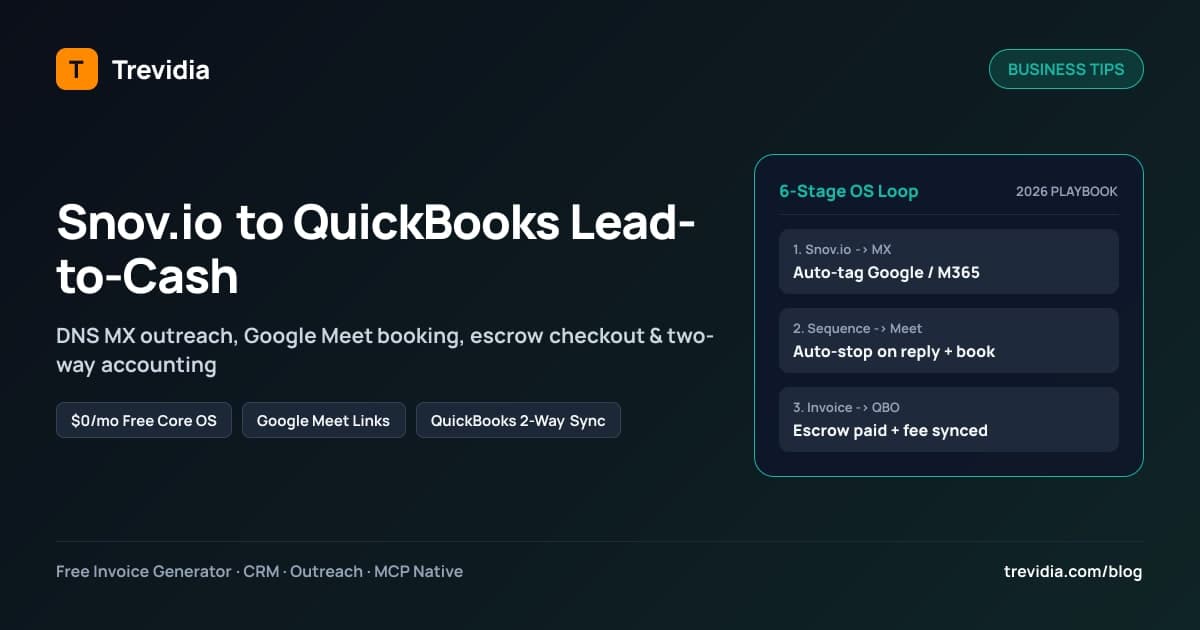
  [1. Snov.io / CSV Import] ──► [Auto DNS MX Lookup: Google / M365 / Private]
                                           │
                                           ▼
  [2. Multi-Channel Sequence] ──► [ESP-Matched Mailbox Pool + {{booking_link}}]
                                           │
                    ┌──────────────────────┴──────────────────────┐
                    ▼ (Prospect Replies)                          ▼ (Prospect Books Call)
  [3a. Auto-Stop + Stage: REPLIED]                [3b. Google Calendar Free/Busy + Meet URL]
                    └──────────────────────┬──────────────────────┘
                                           ▼
  [4. Discovery Call Won -> 1-Click "Convert to Billing Client" + Invoice Draft]
                                           │
                                           ▼
  [5. Client Pays Online (3DS2 Confirmation Token -> 7-14d Escrow Hold + Reserve)]
                                           │
                                           ▼
  [6. QuickBooks Online Two-Way Sync: Customer · Item · Invoice · Payment · Fee]
Stage 1: Import Verified Leads From Snov.io + Auto-Classify MX Hosts
Start by exporting a tightly targeted list from Snov.io (verify emails inside Snov.io first so hard bounces stay < 1%). During import, map First Name, Last Name, Email, Company, Job Title, LinkedIn URL, Location, and custom variables.
Immediately upon import, Trevidia's background DNS MX Resolver checks every domain's mail exchange host and assigns recipient_esp:
GOOGLE(Google Workspace / Gmail)MICROSOFT(Microsoft 365 / Outlook)CUSTOM_PRIVATE(Private SMTP, Zoho, Proton, cPanel, Mimecast, Proofpoint)
This single step eliminates manual guessing and prepares clean provider routing. Read the technical details in our ESP-matched cold email routing guide.
Stage 2: Preview Variables & Route Sequences Across Warmed Pools
Build a balanced 4-step multi-channel cadence combining email and human social touches—for example:
- Day 0: LinkedIn warm-up profile visit / thoughtful comment (3-stage LinkedIn warm-up playbook)
- Day 1:
EMAILStep 1 with{{first_name}},{{ai_icebreaker}}, and a soft question - Day 4:
EMAILStep 2 sticky reply in the same thread offering a quick audit or{{booking_link}} - Day 8:
LINKEDINorEMAILbreakup step
Before enrolling 200 prospects, use Apollo-style Contact Preview to inspect the exact rendered copy for real contacts, verify fallback variables ({{company_name | "your team"}}), confirm which ESP-matched mailbox pool handles each lead, and ensure mailboxes stay shielded on Continuous Forever Warm-Up.
Stage 3: Auto-Stop on Reply & Book Google Meet in One Click
When a prospect replies via Gmail, Microsoft 365, or Private IMAP, inbound delta polling detects the message automatically:
- Enrollment immediately transitions to
REPLIED_STOPPED(so Step 3 never fires embarrassingly after they said yes). - CRM stage moves to
REPLIED, logging the snippet intoCONTACT_ACTIVITIES. - If they click your
{{booking_link}}, the booking page queries live Google Calendar free/busy availability, generates a Google Meet (hangoutLink) conference event, advances the CRM contact toQUALIFIED, and spawns aT - 15mmeeting prep reminder task.
Stage 4: Convert Won Prospects Directly Into Billing Clients
Never re-type a new client's legal name, email, tax ID, and street address from CRM notes into a separate invoicing app. Inside the contact drawer, click Convert to Billing Client / Create Invoice—carrying over company details, currency, and custom fields straight onto your invoice draft.
Use clear upfront payment terms (Net 15 vs. Net 30 vs. Net 60 guide) and start from a clean consulting invoice template or service invoice template. For deeper automation tips across solo workflows, see how solopreneurs automate invoices and save hours each month, or configure ongoing retainers using recurring invoices on autopilot.
Stage 5: Collect Escrow-Protected Online Card Payments
Once your workspace completes Internal KYC verification, clients pay directly from their signed invoice link via <PaymentElement /> with server-verified Confirmation Tokens and mandatory 3D Secure 2. Settled payments sit safely inside your merchant escrow ledger for the 7–14 day clearance window before controlled payout—protecting your account from stolen-card chargebacks and negative balances (detailed in our invoice chargeback prevention playbook).
Stage 6: Reconcile Everything Two-Way With QuickBooks Online
Instead of exporting messy month-end CSVs for your bookkeeper, connect QuickBooks Online via Intuit OAuth2 (/settings/integrations). Every transaction stays synced cleanly with full idempotency logs (INTEGRATION_SYNC_LOGS):
| Trevidia Entity / Event | QuickBooks Online Entity Mapped | Accounting Benefit |
|---|---|---|
Contact / InvoiceCustomer billed |
QuickBooks Customer (upserted) |
Zero duplicate client ledgers or spelling mismatches |
Item catalog line item |
QuickBooks Item (upserted) |
Consistent revenue categorization across projects & retainers |
Invoice marked SENT |
QuickBooks Invoice |
Line items, VAT/GST/sales tax rates, and discounts match identically |
Transaction settled / Escrow payout dispensed |
QuickBooks Payment + Expense |
Applies cash to the exact invoice AND records Stripe/platform processing fees cleanly |
Worked Example: Tracing One $4,500 Consulting Deal End to End
To see how clean the accounting trail stays without spreadsheets, trace a single closed deal from outbound list to reconciled books:
- Monday 09:00 (
Snov.io Import): You import 150 verified ops directors; Trevidia classifies Dana Chen (dana@northstarops.com) asMICROSOFTvia her*.mail.protection.outlook.comMX record. - Monday 10:15 (
Outreach & Booking): YourMICROSOFT_365Outlook pool sends Step 1 and Step 2 with your{{booking_link}}. Dana books a 15-minute Google Meet discovery call directly onto your calendar; Trevidia automatically halts Step 3 (REPLIED_STOPPED) and marks DanaQUALIFIED. - Thursday (
Convert & Invoice): After a great call, you click Convert to Billing Client, issue InvoiceINV-2026-0912for$4,500.00(Net 15,Growth Ops Advisory), and send via your connected mailbox. QuickBooks Online instantly receives the Customer upsert (Northstar Ops LLC) and Invoice ($4,500.00AR). - Following Wednesday (
3DS2 Settlement & Escrow): Dana pays$4,500.00online via<PaymentElement />with 3D Secure verification. Funds enterpending_escrow_balanceunder your merchant hold window, while QuickBooks records the settled Payment ($4,500.00clearing AR to zero) alongside the itemized processing fee expense—leaving your CPA with zero manual penny-chasing at month end.
4 Revenue Leaks Fixed by Unifying CRM, Outreach & Billing
Disconnected sales and billing tools rarely break dramatically—they quietly leak hours and cash every single week:
- Follow-ups keep firing after a prospect replies or pays: Without shared inbox and invoice state, disconnected sequencers accidentally send "Checking in one last time!" two days after the client already signed an SOW and paid their kickoff invoice.
- Accepted discovery calls stall without prep context: When calendar links sit in a standalone scheduler disconnected from CRM notes, you enter calls hunting for which LinkedIn post or Snov.io campaign brought the lead in.
- Won clients sit unbilled for 3–5 days: Copying addresses, VAT numbers, and agreed deliverables across four apps delays invoice delivery—pushing cash arrival back by an entire payment cycle.
- Merchant fees go unbooked in QuickBooks: Recording gross
$4,500deposits while forgetting$130in card processing fees breaks monthly bank reconciliation until an accountant bills hours fixing the discrepancy.
30-Minute Migration Checklist: Consolidate Without Breaking Live Billing
Switching off a scattered tool stack shouldn't halt active client deals. Execute this low-risk migration over one coffee break:
- Minute 0–8 — Create Free Core Workspace & Connect OAuth Apps: Sign up free on Trevidia, complete your company profile/logo, and connect Gmail, Outlook/M365, Google Meet & Calendar, and QuickBooks Online under
/settings/integrations. - Minute 8–16 — Import Active Leads & Clients via CSV: Export your active Snov.io prospect list and billing client list, upload into Trevidia CRM, and review the live DNS MX breakdown (
GOOGLE/MICROSOFT/CUSTOM_PRIVATE). - Minute 16–23 — Configure Mailbox Warm-Up & 1st Sequence: Connect outreach mailboxes in
/outreach/mailboxes, selectNORMAL_RAMPUP(for fresh inboxes) orCONTINUOUS_FOREVER(for active outreach), and insert your Google Meet{{booking_link}}into Step 2. - Minute 23–30 — Mirror Your Next Client Invoice & Submit KYC: Recreate one upcoming retainer or milestone bill using our professional invoice template, submit KYC documents to unlock live 3DS card checkout, and optionally mint a scoped
/v1/mcptoken if you run daily briefings inside Claude Desktop (MCP Server CRM Guide).
Build Your Custom Modular Stack Without Paying for Bloat
Every dollar saved on overlapping SaaS subscriptions stays in operating profit. Launch on Trevidia's $0/month Free Core OS today (including 50 free Claude AI starter credits), toggle only the modules you need on Trevidia pricing, and connect Snov.io outreach to QuickBooks-reconciled invoices in one unified workflow.
Lead-to-Cash Implementation Checklist
- Snov.io / CSV prospect list verified (
< 1%bounce risk) and DNS MX-classified intoGOOGLE,MICROSOFT, orCUSTOM_PRIVATE. - Outreach mailboxes matched by provider and protected with
NORMAL_RAMPUPorCONTINUOUS_FOREVERwarm-up. - Google Calendar & Meet connected so
{{booking_link}}books calls directly ontoQUALIFIEDCRM records. - Internal KYC submitted so approved clients can pay invoices online via 3DS2 card checkout.
- QuickBooks Online connected via Intuit OAuth2 and verified against a test Customer, Item, Invoice, and Payment sync.
- Recurring retainers migrated from manual monthly billing to scheduled automated invoices.