ESP-Matched Cold Email Routing: Gmail & Outlook Deliverability
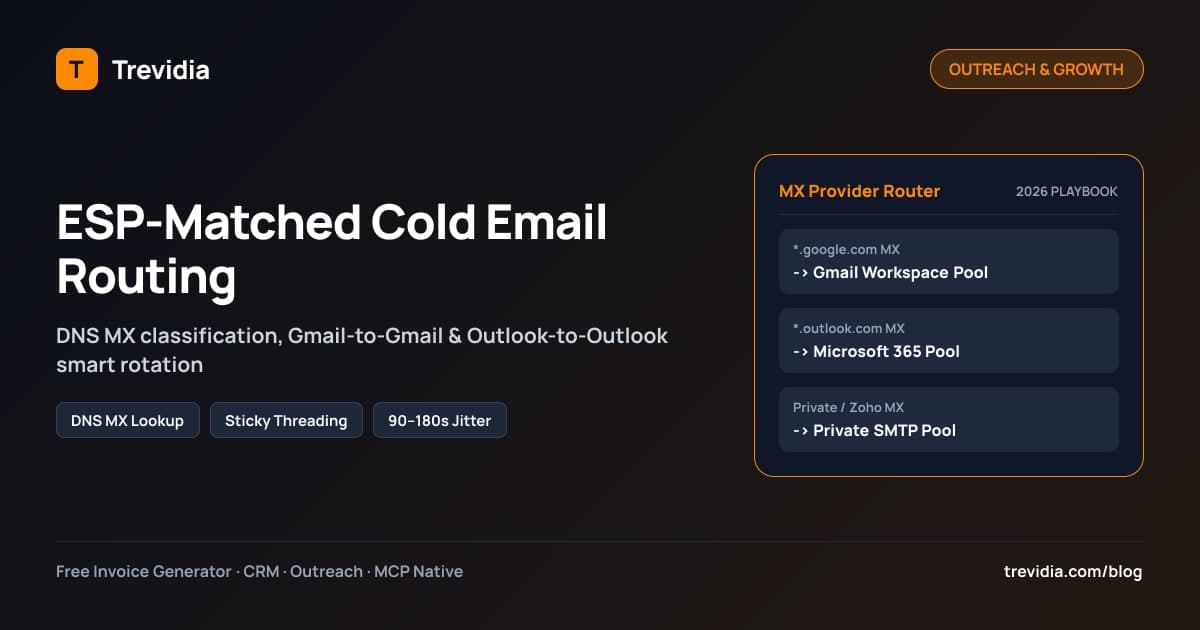
ESP-matched cold email routing resolves every prospect's DNS Mail Exchange (MX) record and dispatches each sequence from a sender mailbox hosted on the matching Email Service Provider: Google Workspace (Gmail) to Google prospects, Microsoft 365 (Outlook) to Microsoft prospects, and Private SMTP to custom mail servers.
Blasting every lead out of a single SMTP relay or sending Gmail-only campaigns into locked-down Microsoft 365 corporate tenants sends bounce rates up and lands clean copy straight in Junk folders. Aligning your sending infrastructure to the recipient's MX host—while rotating evenly across warmed mailbox pools—gives lean agencies and solo consultants enterprise-grade inbox placement.
Why Cross-ESP Sending Triggers Aggressive Filtering
A prospect's email address (alex@acmelogistics.com) hides which server actually accepts their mail. Behind that custom domain, roughly 80%–90% of B2B companies run on either Google Workspace or Microsoft 365 Exchange Online, with the remaining slice hosted on Zoho, Proton, cPanel, Fastmail, or security gateways like Mimecast and Proofpoint.
When a campaign fires indiscriminately across providers:
- Microsoft Defender / EOP penalizes external Google/SMTP bursts: Microsoft 365 treats unexpected commercial outreach arriving from Google IPs or unknown shared SMTP servers with aggressive content and link scoring—especially if multiple recipients inside similar tenants mark messages as Junk.
- Google Workspace throttles unauthenticated SMTP jumps: Sending high-velocity outreach from misconfigured VPS SMTP boxes into Google Workspace accounts quickly triggers
421rate-limits and silent Promotions/Spam sorting. - Follow-up rotation breaks threads: Basic mail-merge tools that rotate sender accounts on every step accidentally email
alex@acmelogistics.comStep 1 fromsam@domainA.comand Step 2 fromtaylor@domainB.com, destroying thread context and looking unmistakably automated to spam filters.
Matching provider-to-provider keeps traffic inside familiar authentication boundaries while sticky mailbox locking preserves human-like one-to-one threads.
DNS MX Classification Lookup Table: Mapping Domains to Sender Pools
Before a sequence queues a single email, your system should inspect the prospect domain's live DNS MX records (via dns.promises.resolveMx(domain)), never guess from the domain name alone:
| Observed MX Hostname Pattern | Classified recipient_esp |
Matched Sender Pool | Primary Transport Protocol |
|---|---|---|---|
*.google.com, *.googlemail.com, aspmx.l.google.com, smtp.google.com |
GOOGLE |
GOOGLE_GMAIL (Gmail / Google Workspace) |
Google Gmail API (OAuth2) or Workspace SMTP |
*.mail.protection.outlook.com, *.olc.protection.outlook.com |
MICROSOFT |
MICROSOFT_365 (Outlook / M365) |
Microsoft Graph API (Mail.Send) or M365 |
mx.zoho.com, *.mimecast.com, *.pphosted.com (Proofpoint), mail.protonmail.ch, cPanel / custom MX |
CUSTOM_PRIVATE |
PRIVATE_SMTP (Custom SMTP / IMAP) |
Dedicated TLS SMTP (465/587) + IMAP (993) |
Notice why live MX resolution beats manual tagging: when you import 500 prospects from Snov.io or a CSV export, an automated background MX worker resolves every domain in seconds and shows the exact split—say 44% Google Workspace, 39% Microsoft 365, and 17% Private SMTP—before you launch Step 1.
How Each Receiving ESP Evaluates Cold Email Differently
Understanding why provider matching matters gets even clearer when you inspect what triggers spam filters on each destination stack:
| Receiving Stack | Primary Filter Engine | Top Spam Triggers to Avoid | Why Matched Senders Perform Better |
|---|---|---|---|
Google Workspace (GOOGLE) |
Gmail AI engagement & domain reputation classifier | Sudden daily send spikes, unverified bounces > 2%, link-heavy HTML |
Gmail-to-Gmail API traffic inherits trusted Google infrastructure patterns |
Microsoft 365 (MICROSOFT) |
Exchange Online Protection (EOP) + Microsoft Defender | External cross-ESP bursts from Google/SMTP, hidden open pixels, generic mass copy | Outlook/Graph-to-M365 stays inside authenticated Microsoft server reputation |
Corporate Gateways (CUSTOM_PRIVATE) |
Mimecast, Proofpoint, Barracuda, Zoho, or self-hosted SpamAssassin | Newly registered domains < 14 days old, aggressive tracking subdomains, bad rDNS |
Warmed Private SMTP with clean PTR/rDNS + plain text passes strict gateway checks |
Worked Walkthrough: Routing a 500-Lead Snov.io Prospect Import
Suppose a B2B agency exports 500 verified leads from Snov.io and uploads them into Trevidia CRM:
- Instant MX Triage: The DNS worker splits the 500 contacts into 220
GOOGLEprospects, 195MICROSOFTprospects, and 85CUSTOM_PRIVATEprospects. - Pool Allocation Check: Your workspace holds 3 warmed Gmail mailboxes (
35/daycap =105/daycapacity), 3 warmed Microsoft 365 mailboxes (35/daycap =105/daycapacity), and 1 warmed Private SMTP mailbox (35/daycap). - Automatic Multi-Day Spread: At
~105/dayGoogle capacity and~105/dayMicrosoft capacity, Steps 1 for Google and Microsoft finish cleanly across two to three business days while Private SMTP paces across three days—keeping every single inbox well below burst thresholds and preserving matching providers across all follow-ups.
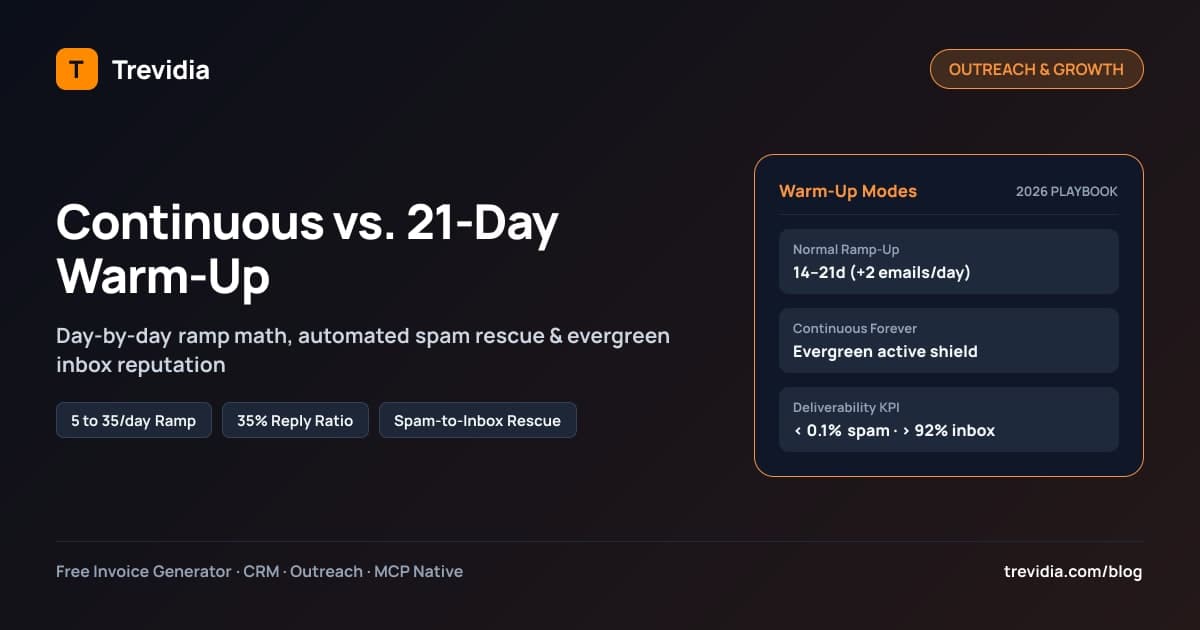
Once traffic flows across matched pools, pair provider routing with an ongoing deliverability shield; read our deep dive on continuous email warm-up vs. 21-day ramp-up so newly connected mailboxes keep high reputation permanently.
Multi-Mailbox Pool Sizing & Daily Send-Limit Calculator
Never scale outreach by cramming 150 cold emails per day through one primary workspace domain. Scale horizontally across multiple secondary domains and warmed mailboxes while keeping per-mailbox output conservative:
| Target Daily Cold Emails | Recommended Warmed Mailboxes (~35/day cap) |
Suggested Provider Split (~45% G / 40% MS / 15% SMTP) |
Minimum Jitter Gap Between Sends |
|---|---|---|---|
| 50–70 prospects / day | 2–3 mailboxes | 1 Gmail · 1 Outlook · 1 Private SMTP | 120–180 seconds |
| 150–200 prospects / day | 5–6 mailboxes | 2–3 Gmail · 2 Outlook · 1 Private SMTP | 90–150 seconds |
| 350–400 prospects / day | 10–12 mailboxes | 5 Gmail · 4–5 Outlook · 2 Private SMTP | 90–120 seconds |
| 700+ prospects / day | 20–24 mailboxes | 10 Gmail · 8–9 Outlook · 3–4 Private SMTP | 90–120 seconds |
Four Rules That Keep Scaled Pools Clean
- Use dedicated lookalike domains: Never send cold outreach from your primary invoice and billing domain (
trevidia.com). Register secondary outreach domains (gettrevidia.com,tryacme.co) with clean redirects to your main site. - Route least-used healthy mailboxes first: Select the active mailbox inside the matching pool with the lowest
sent_today_countunderdaily_outreach_limitand zero auth/bounce errors. - Enforce randomized send gaps (
min_gap_seconds): Firing 35 emails inside the same 60-second cron tick flags burst detectors immediately. Stagger outbound jobs by 90 to 180 seconds across workspace sending windows. - Configure graceful fallback rules: If a workspace has zero
PRIVATE_SMTPmailboxes configured yet, routeCUSTOM_PRIVATEprospects safely to a healthy Gmail or Outlook fallback pool rather than stalling sequences—while keepingGOOGLEandMICROSOFTstrictly matched whenever pools exist.
Sticky Sender Threading & Automated Reply Detection Across Pools
Provider matching handles Step 1. Retaining replies requires sticky threading across Steps 2, 3, and 4:
- Lock
assigned_mailbox_idat Step 1: The moment Step 1 selectsalex@outreach-m365-1.comfor a Microsoft 365 prospect, store that mailbox ID directly on the prospect's sequence enrollment record. Every follow-up bump pulls the exact same sender automatically. - Attach
In-Reply-ToandReferencesMIME headers: Real replies inside Gmail and Outlook nest underneath the original subject line with valid RFC-5322 message-ID references—never starting brand-new disconnected threads on Step 2. - Monitor all three inbox protocols continuously: A prospect replying "Sure, send a calendar link" to a private SMTP address must stop the sequence just as reliably as a reply landing in Gmail. Synchronize inbound replies across Gmail (
users.history.list), Microsoft Graph delta queries, and Private IMAP (imapflow), classify real human replies vs. out-of-office auto-responders vs. hard bounces, pause active steps (REPLIED_STOPPED), and alert the rep immediately.
For agencies running multi-channel touches alongside email—such as warming prospects on LinkedIn before sending Step 1—pair this sequence logic with our 3-stage LinkedIn algorithm warm-up playbook.
Mandatory DNS Authentication Checklist (SPF, DKIM, DMARC)
Even perfect ESP-to-ESP routing lands in Spam if a single sender domain misses authentication records:
| DNS Record | Purpose | 2026 Minimum Production Standard |
|---|---|---|
SPF (TXT) |
Authorizes sending IPs/servers (include:_spf.google.com, include:spf.protection.outlook.com) |
Single valid v=spf1 record per domain; keep DNS lookups <= 10 |
DKIM (TXT / CNAME) |
Cryptographic signature proving message body wasn't tampered with in transit | 2048-bit key enabled on every Google, M365, and SMTP domain |
DMARC (TXT at _dmarc) |
Tells receiving ESPS how to handle SPF/DKIM failures and where to send aggregate reports | Minimum v=DMARC1; p=quarantine; (or p=reject; once verified) with valid rua= reporting |
| Custom Tracking Domain (Optional) | Masks shared click/open pixels—or better yet, send plain-text with open tracking OFF | Plain text without tracking pixels boosts primary inbox placement on strict corporate filters |
Deliverability Pro Tip: Turn off invisible 1×1 open-tracking pixels on cold outreach. Modern Outlook and Apple Mail proxies pre-fetch images anyway (polluting open rates), while security scanners routinely penalize hidden tracking pixels from unestablished domains. Measure positive reply rate and booked Google Meet calls instead.
How Trevidia Automates Snov.io Import, MX Matching & Multi-Mailbox Rotation
Instead of gluing together a lead scraper, a separate warm-up tool, three disconnected email sequencers, a standalone CRM, and an external invoicing platform, Trevidia executes the entire loop from one modular workspace:
- Automatic DNS MX Classification on Import: Import leads via CSV or Snov.io, and Trevidia's
mx-esp-resolverautomatically resolves MX hosts to tag every contact asGOOGLE,MICROSOFT, orCUSTOM_PRIVATE. - Unified Multi-Mailbox Pool (
/outreach/mailboxes): Connect unlimited Gmail (OAuth2), Outlook / Microsoft 365 (Graph OAuth2), and Private SMTP / IMAP mailboxes secured via AES-256-GCM credential encryption. - Apollo-Style Contact Variable Preview: Before enrolling a list, preview every sequence step rendered with real prospect fields (
{{first_name}},{{company_name}},{{ai_icebreaker}},{{booking_link}}) and see the exact ESP-matched mailbox pool assigned to each lead. - Sticky Threading + Auto-Stop on Reply: Replies detected across Gmail, Microsoft Graph, or IMAP pause enrollments automatically, advance CRM pipeline stages to
REPLIED, and let you insert your Google Meet{{booking_link}}or draft replies with Claude AI. - Transparent Modular Pricing: Start on Trevidia's $0/month Free Core OS (100 CRM contacts, 1 active manual sequence, 50 free AI credits), or toggle Outreach & Multi-Mailbox Pro for $15/month on Trevidia pricing for unlimited multi-channel sequences, ESP-to-ESP rotation, and built-in Normal/Continuous Warm-Up—then turn closed deals into billed clients with one click using our consulting invoice template.
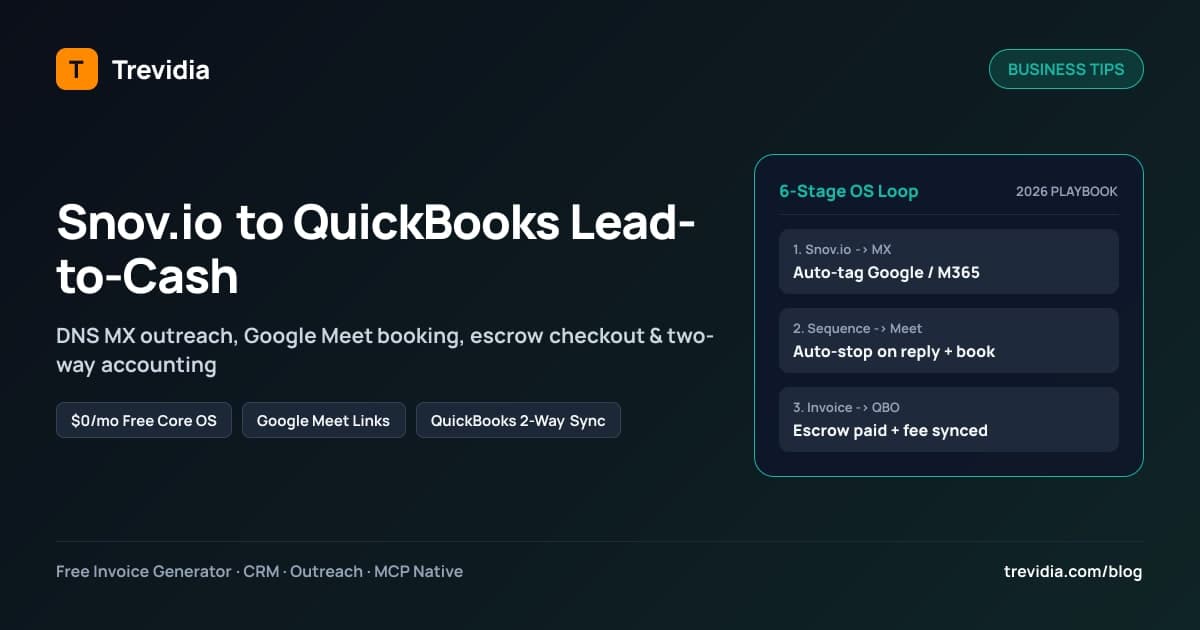
Read the full workflow walkthrough in our guide on connecting Snov.io outreach to QuickBooks Online invoicing, or launch your free Trevidia workspace now.
Pre-Launch Cold Email Deliverability Checklist
- Secondary outreach domains purchased and configured with valid SPF, 2048-bit DKIM, and DMARC (
p=quarantineorp=reject). - All prospect lists verified before import to keep hard bounce rate strictly
< 2%. - DNS MX lookup completed so contacts are tagged
GOOGLE,MICROSOFT, orCUSTOM_PRIVATE. - Active sender mailboxes connected in matching Gmail, Outlook/M365, and Private SMTP pools.
- Each mailbox capped at 30–40 cold emails/day with 90–180s randomized inter-send delays.
- Open-tracking pixels disabled on cold steps; plain-text or minimal HTML formatting verified.
- Sticky mailbox locking and cross-protocol reply polling enabled so follow-ups thread cleanly and stop instantly on reply.